
Provider onboarding
Everything you need to start seeing patients on Flore Clinical — walked through, screen by screen, with the real provider portal. Add your first patient and place an order in about ten minutes.
Welcome to Flore Clinical
Flore Clinical is your provider workspace for precision microbiome care — one place to test, match, formulate, and track. This guide walks the whole portal, screen by screen, so you can add your first patient and place an order in minutes.
The loop
Test → Match → Formulate → Track. Upload a stool test (or go symptoms-only), the platform matches a personalized formula for your review, you order it, and the patient journey tracks itself to the doorstep.
One ecosystem
Custom clinical formulas, shelf-ready GoodOnes™, and provider payouts all live in the same portal.
About ten minutes
Account → verify email → add a patient → create a formula. That is the whole first run.
Create your account
Registration is a short four-step wizard. You set a password, accept the provider agreements with an e-signature, then verify your email — and you are in.
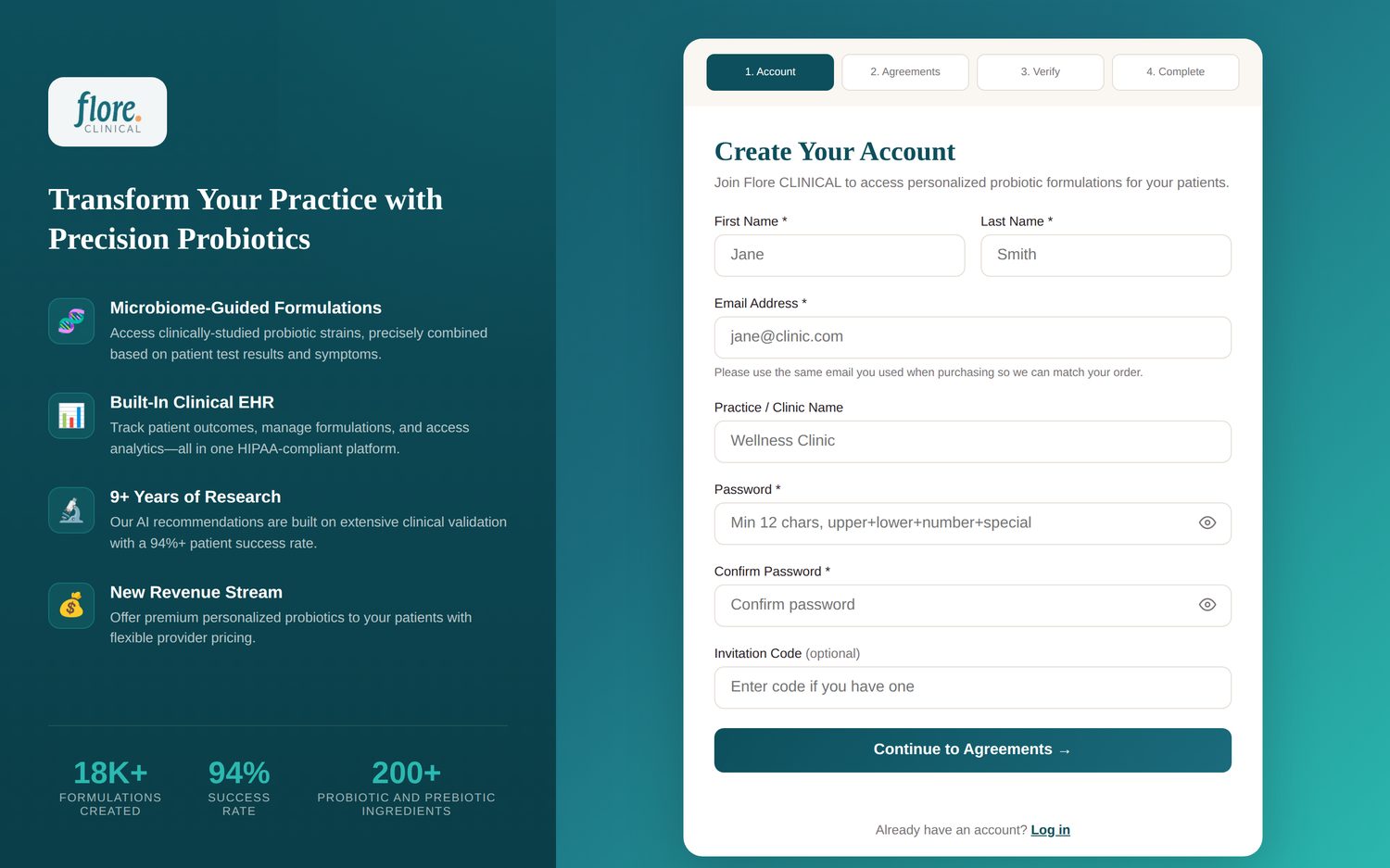
- 1 · Your detailsFirst & last name, email, practice name, and a password (12+ characters, with upper/lower, a number, and a symbol).
- 2 · AgreementsAccept the agreements — Terms, Privacy, HIPAA BAA, Provider Participation, Cancellation & Reformulation, and Research & Data Use — and type your name as an electronic signature.
- 3 · Verify emailEnter the 6-digit code we email you (valid 60 minutes). That final step creates your account.
- 4 · WelcomeYou are routed to the sign-in screen. Done.
Sign in — with daily 2FA
Flore Clinical is a HIPAA workspace, so sign-in is password plus a one-time email code, once per day.
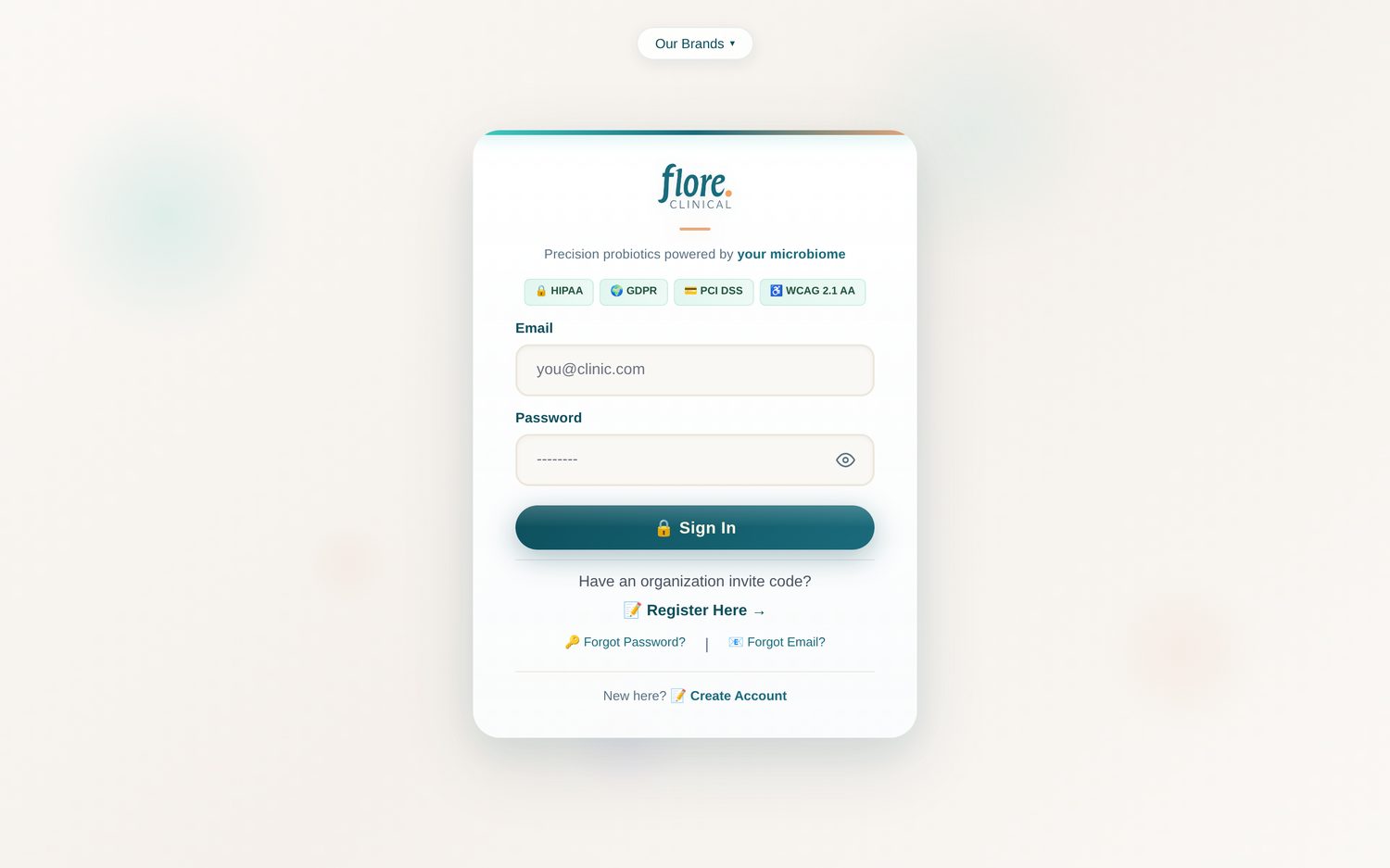
- Email & passwordEnter your credentials and choose Sign In.
- 6-digit codeThe first time you log in each day, we email a 6-digit verification code (valid 5 minutes). Enter it to finish.
- Forgot password / emailBoth recovery links are right on the sign-in card if you ever need them.
Your dashboard
Your home base. At a glance: total patients, orders, reformulations, and pending follow-ups — plus one-click Quick Actions into your most common workflows.
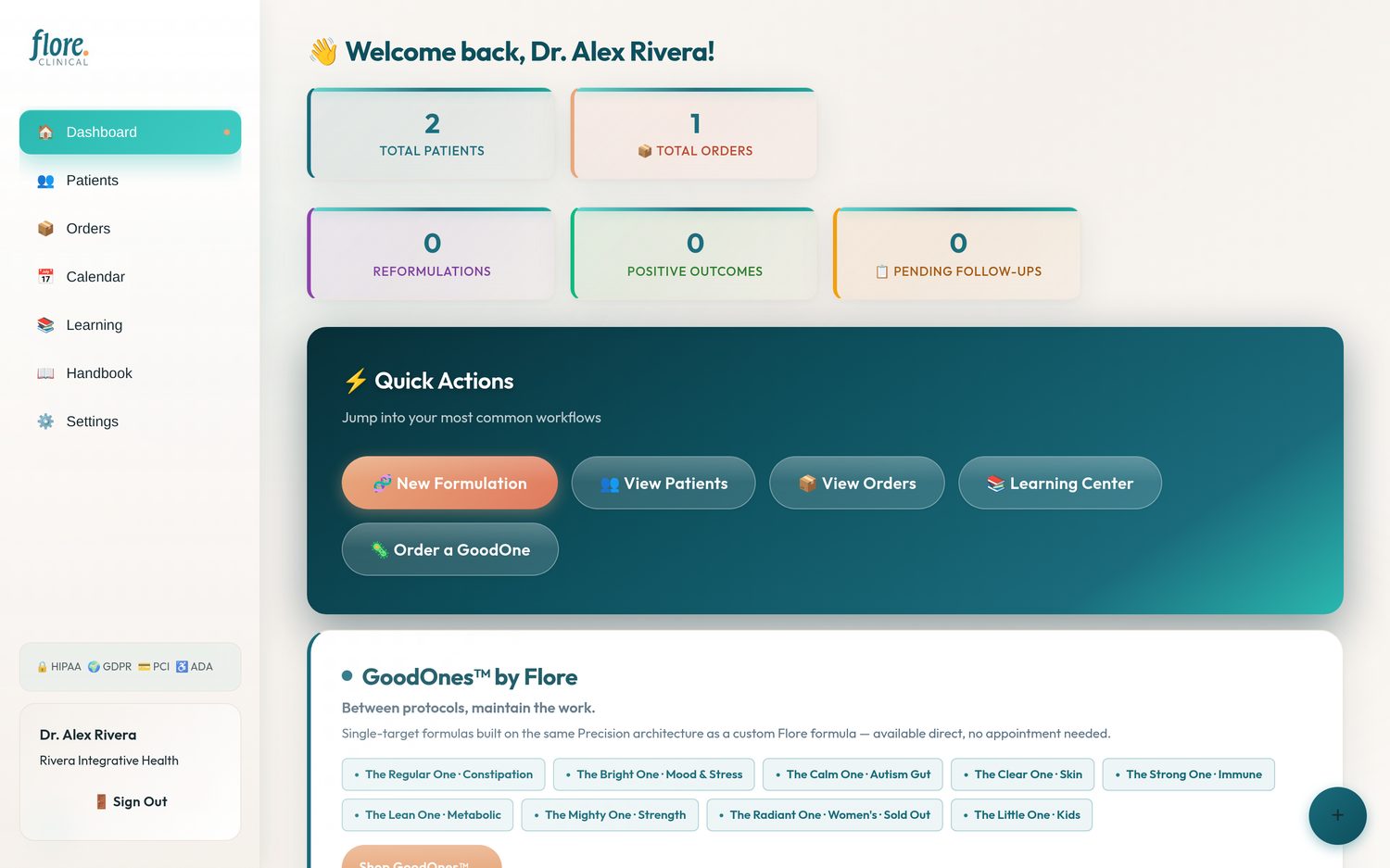
- Quick ActionsJump straight into New Formulation, View Patients, View Orders, the Learning Center, or Order a GoodOne.
- Left navDashboard, Patients, Orders, Calendar, Learning, Handbook, and Settings — everything is two clicks away.
- GoodOnes™ by FloreThe shelf-ready single-target line lives here for quick between-protocol orders.
Add your first patient
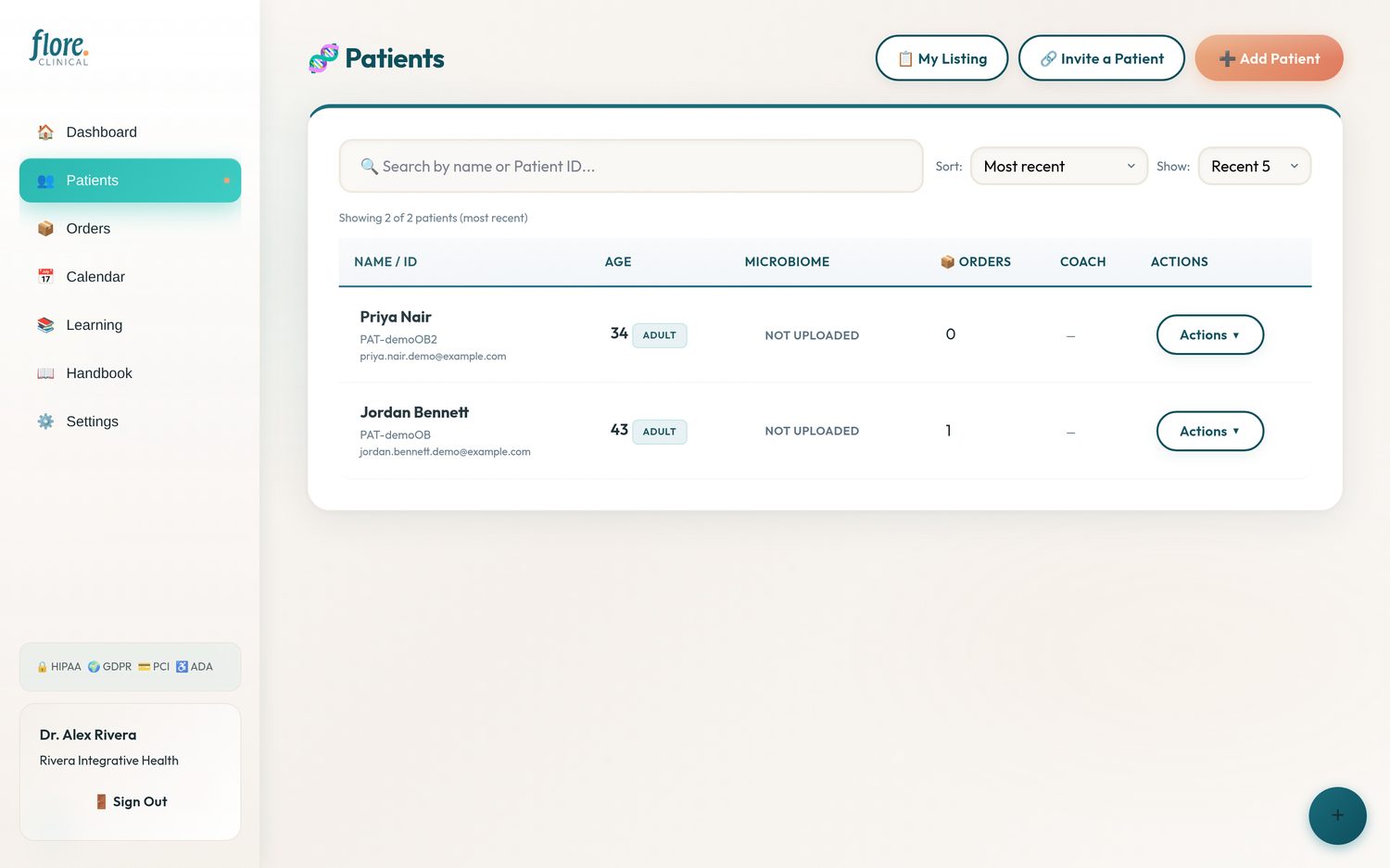
From the Patients tab, choose Add Patient (or Invite a Patient to have them self-onboard). The only required fields are name, date of birth, and sex.
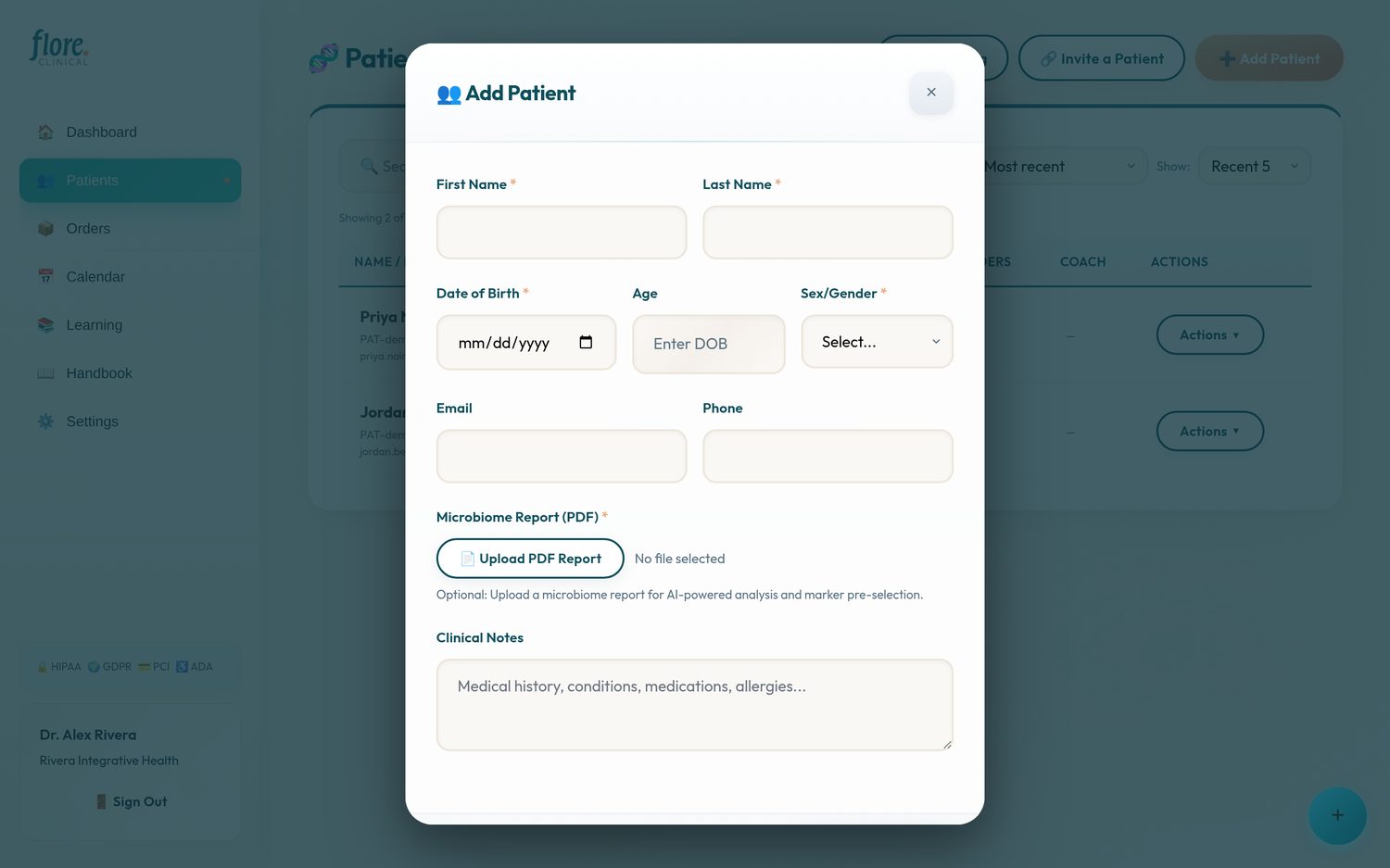
- Core detailsFirst & last name, date of birth (age auto-fills), sex/gender, and optional email & phone.
- Attach a test now (optional)You can upload the patient’s microbiome PDF right here — it is queued for analysis and marker pre-selection.
- Clinical notesA free-text field for medical history, conditions, medications, and allergies.
The patient profile
Open any patient for a full clinical picture — orders, formulations, and a row of tabs for every part of their care.
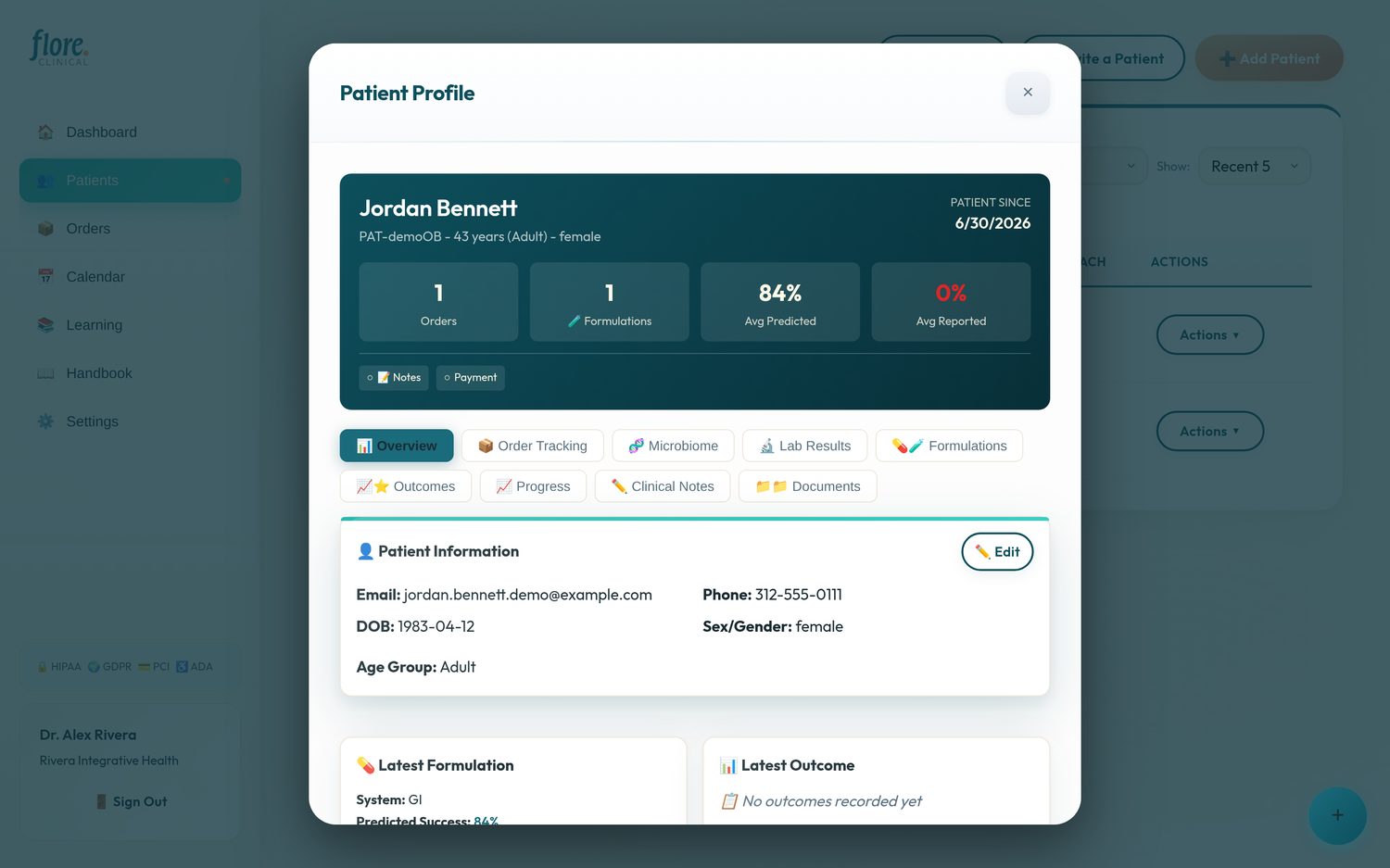
- Tabbed profileOverview, Order Tracking, Microbiome, Lab Results, Formulations, Outcomes, Progress, Clinical Notes, and Documents.
- Snapshot headerOrders, formulations, and the portal’s model-generated predicted-success indicator — up top, always.
- Everything in one placeTest results, the formula you built, the order status, and your notes all hang off this one profile.
Upload the microbiome test
On the Microbiome tab, drop in a PDF stool-test report. Flore parses it deterministically — not by AI guesswork — and pre-selects the relevant markers for the formula.
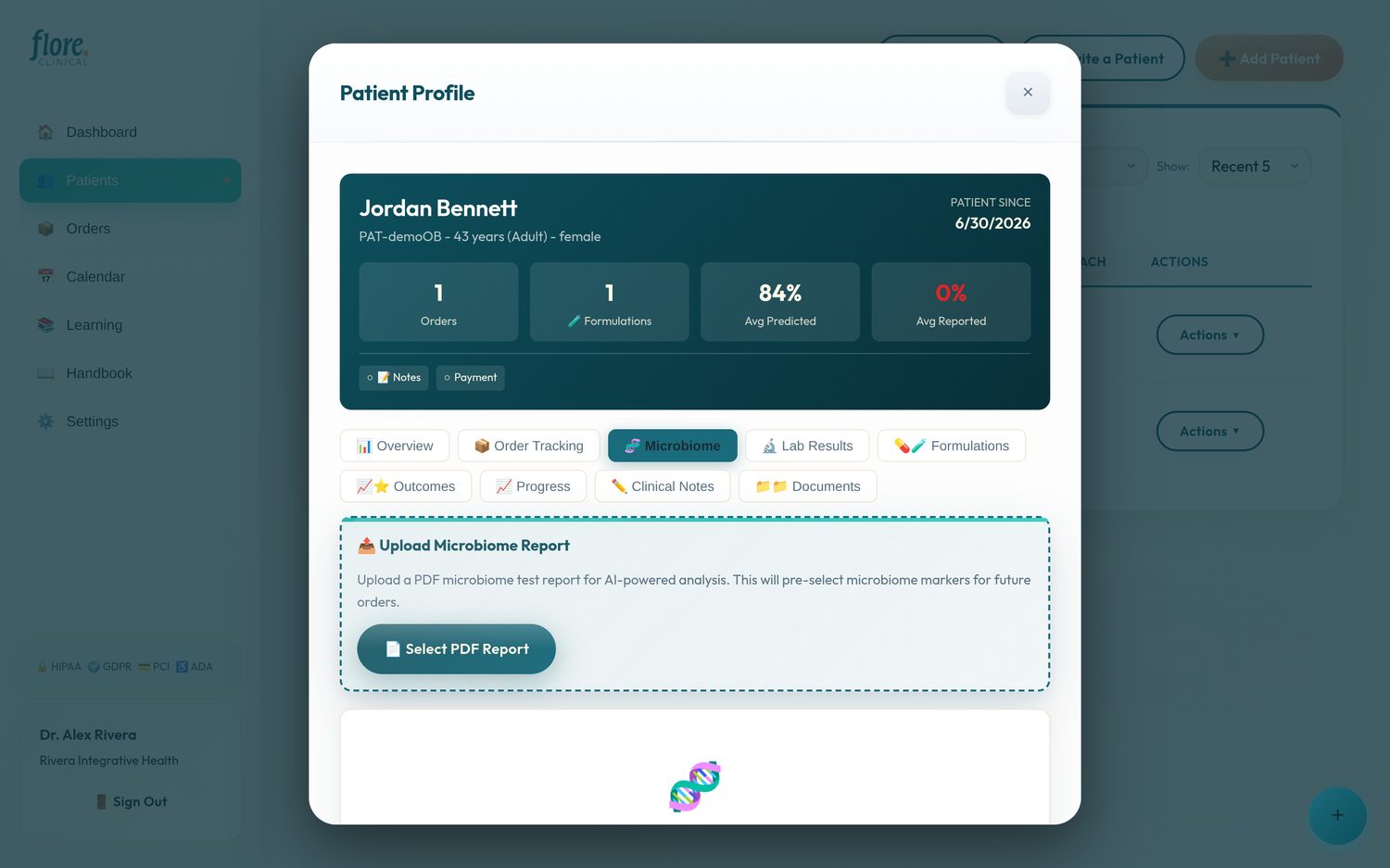
- Select PDF ReportUpload the patient’s stool-panel PDF. Flore reads the markers verbatim and stores the report on the profile.
- Labs we parse nativelyGI-MAP, Genova GI Effects, Doctor’s Data GI360, Viome, CosmosID, and Flore’s own report — read deterministically.
- Markers pre-selectRecognized markers flow straight into the next formula so you are not re-entering findings by hand.
Create the formula (Test-to-Treat)
The order builder is three steps: pick the patient, confirm symptoms & conditions, then review and check out. Markers from the microbiome report are pre-selected for you.
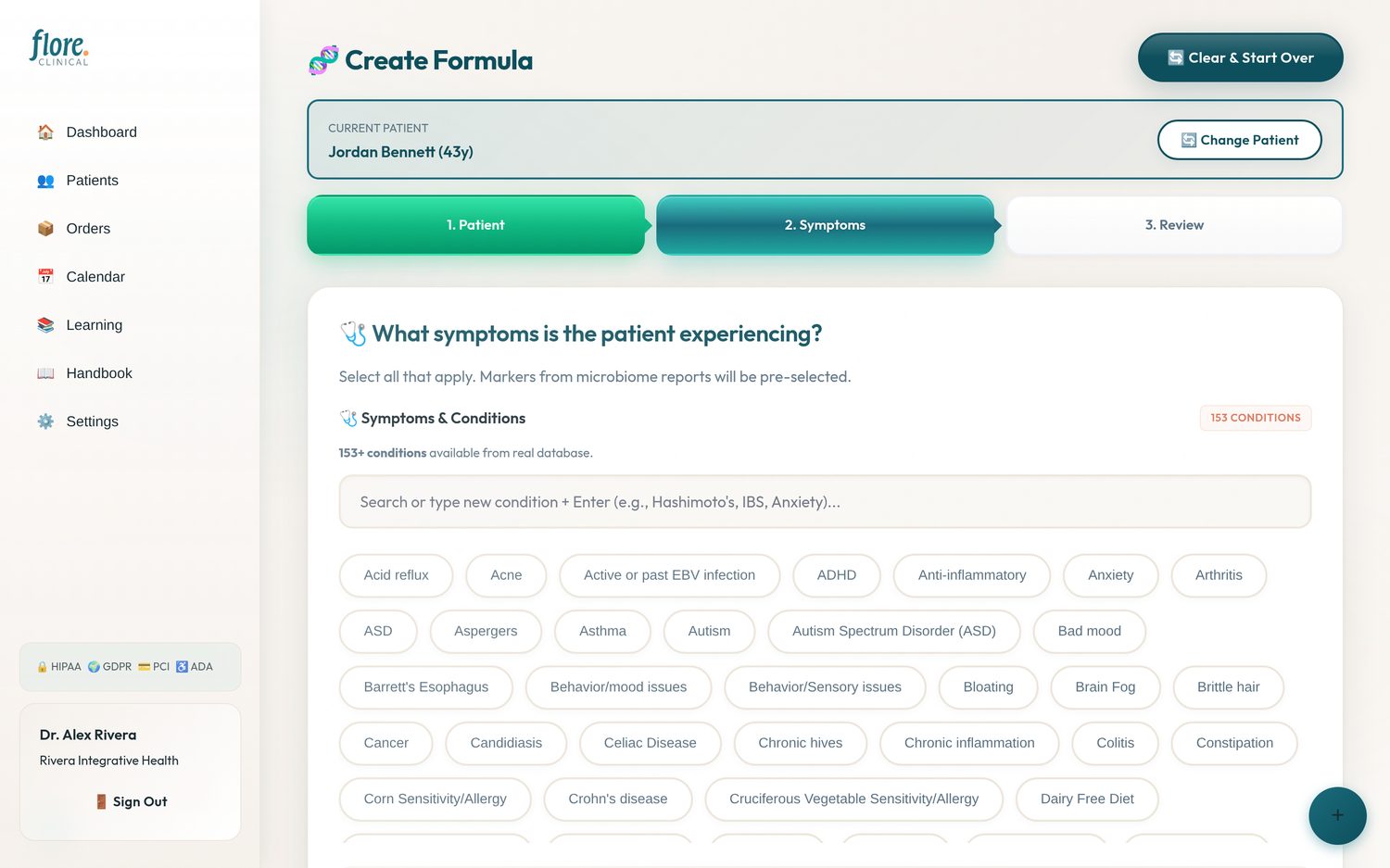
- 1 · PatientChoose an existing patient or add a new one inline.
- 2 · Symptoms & conditionsConditions from the clinical database; anything from the intake or the test report comes pre-selected.
- 3 · Review & checkoutPick 3 / 6 / 12 months, capsules or powder (never liquid), and ship-to-clinic or ship-to-patient — then proceed to secure checkout.
Review the personalized formula
Every formula shows its system, strain count, total CFU, and boosters — with strains shown as genus, species, and a Flore code.
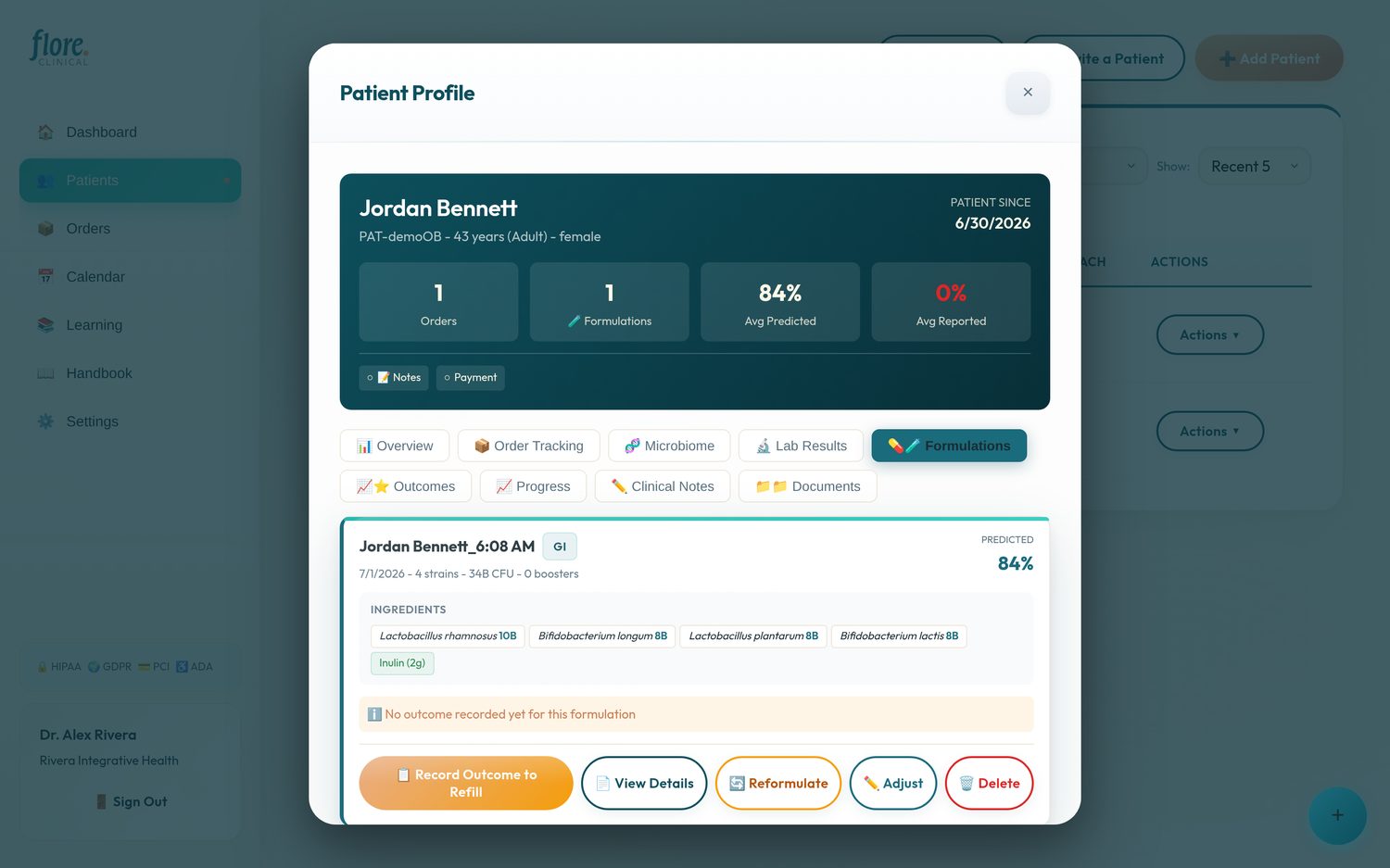
- Read the cardSystem badge, created date, strains + CFU, and boosters at a glance.
- Act on itView Details, Reformulate, Adjust boosters (up to 3), or record an outcome to unlock a refill.
- Proprietary strains stay protectedYou see genus + species + a FLORE-#### code + CFU — the exact proprietary strain designations and the formulation recipe are never exposed.
Track the order to the doorstep
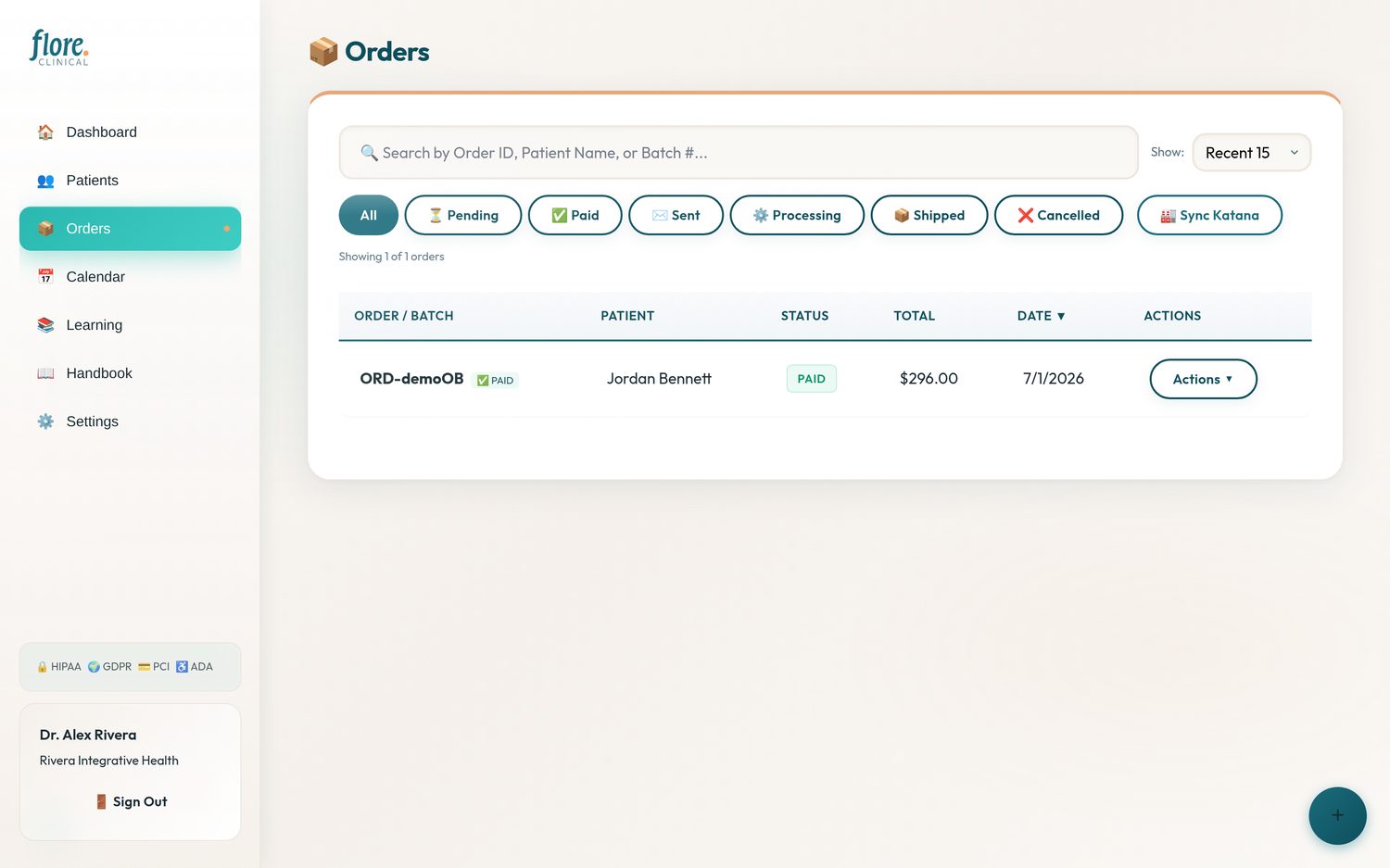
Open any order for the full manufacturing and shipping picture — status, SKU, production, tracking number, and patient-shareable receipt & recipe links.
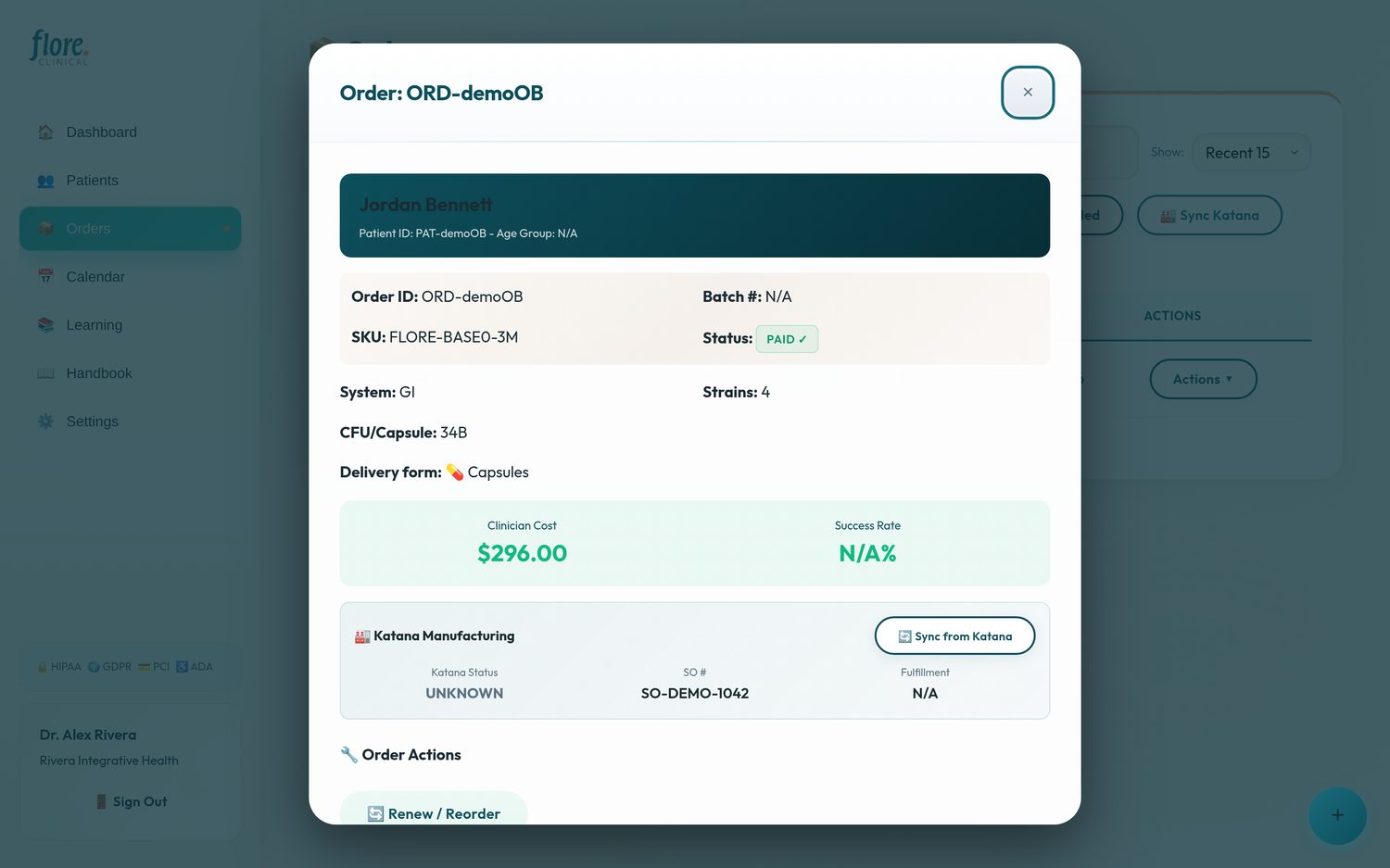
- Order detailSKU, paid status, system, strains, CFU, and clinician cost — plus a live manufacturing panel with the sales-order number.
- Sync production statusPull the latest production and fulfillment status straight from the manufacturing floor.
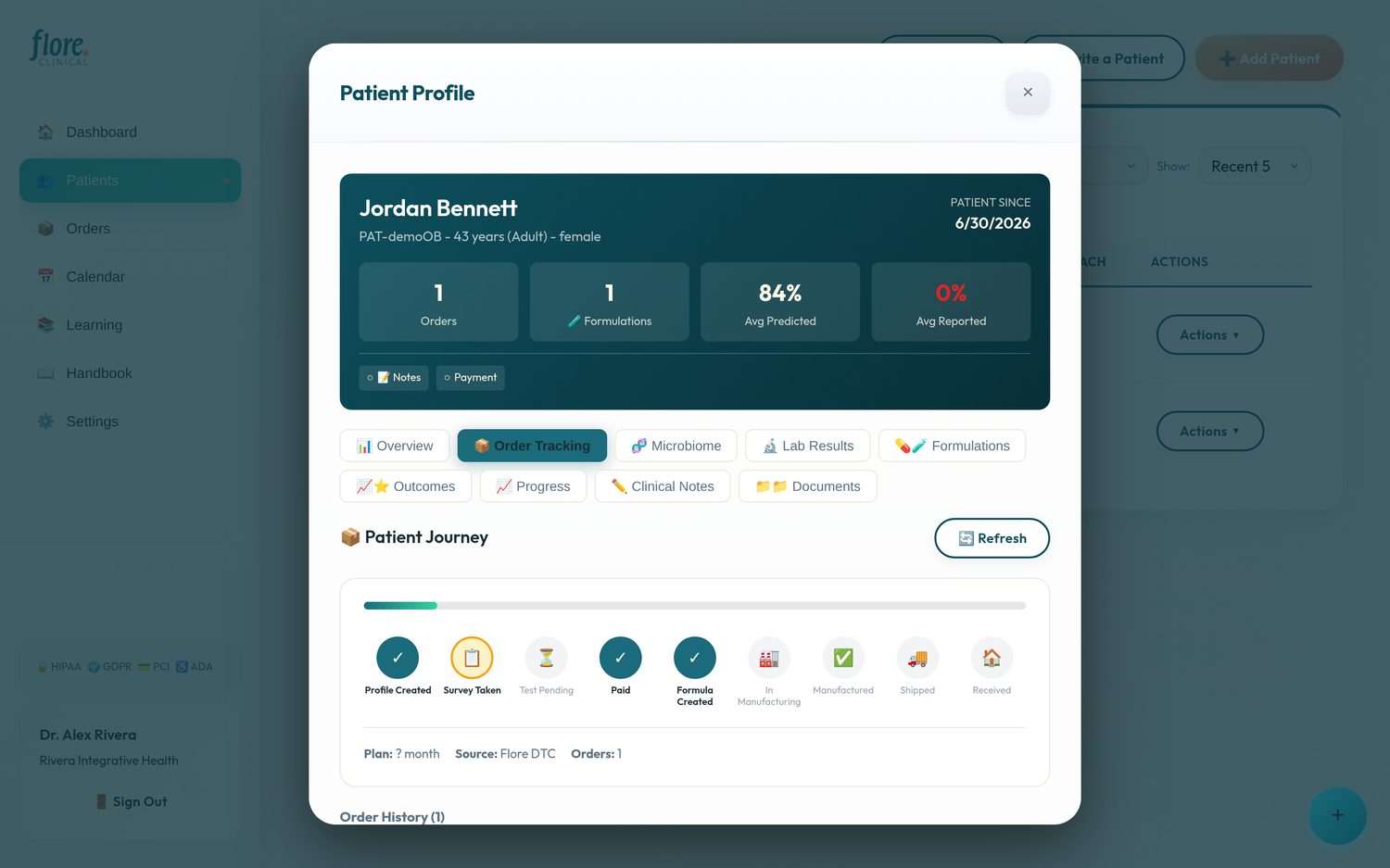
- Patient journeyA 9-step tracker — Profile → Survey → Test → Paid → Formula → Manufacturing → Manufactured → Shipped → Received.
Order a GoodOne™ in-office
Between custom protocols, order a shelf-ready GoodOne for a patient in seconds — the same precision architecture, no appointment needed.
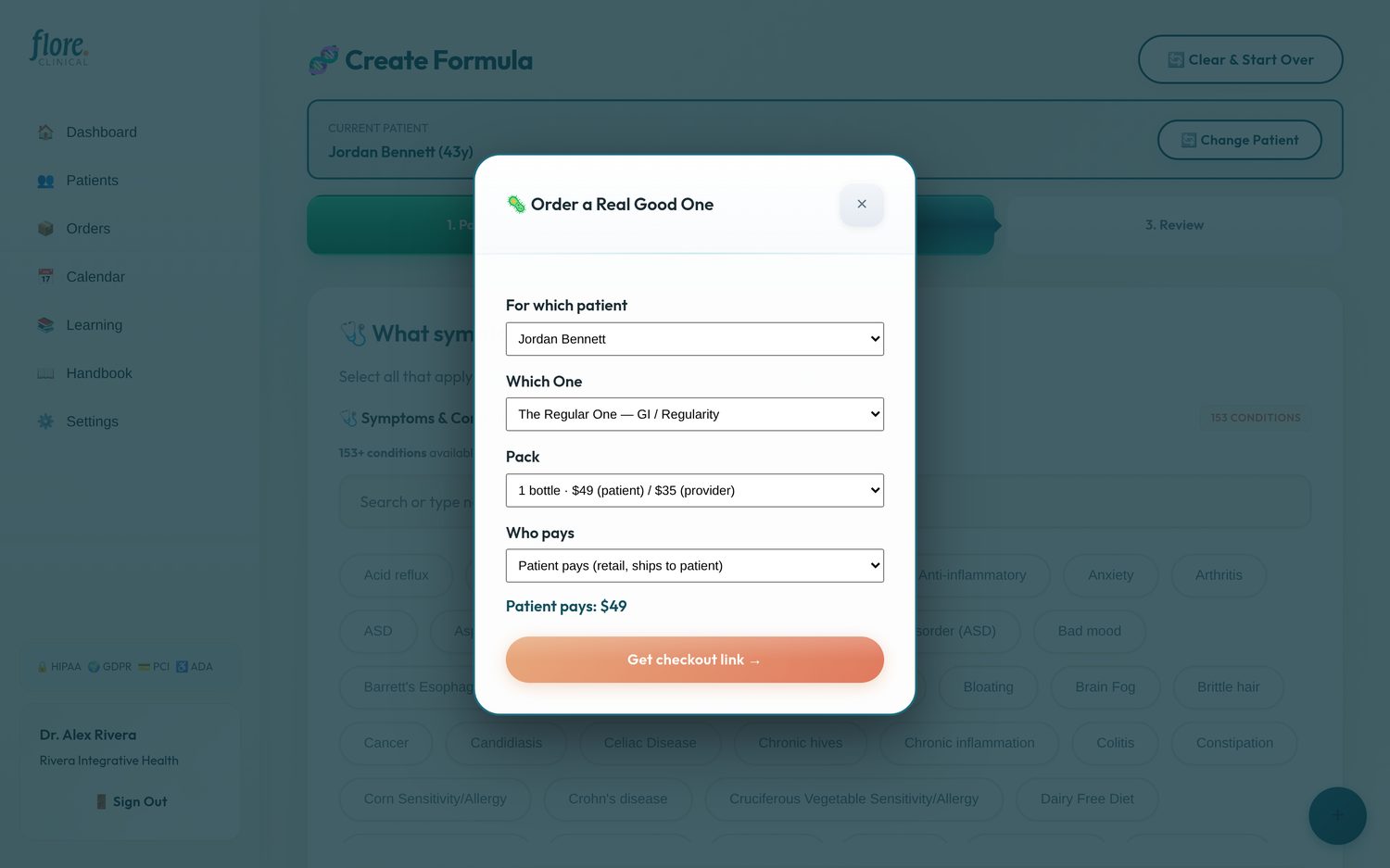
- Pick the OneThe single-target, shelf-ready GoodOnes™ line — each formula built for one focus area.
- Provider or patient pricing$49 patient / $35 provider for one bottle (2- and 4-packs scale). Choose who pays — retail to the patient, or wholesale to you.
- Get checkout linkGenerates a checkout link with the patient and order pre-attached.
Get paid & accept patients
Two Stripe-powered cards in Settings handle the money: a card on file for billing, and payouts for your markup earnings. Flore never sees or stores card or bank numbers.
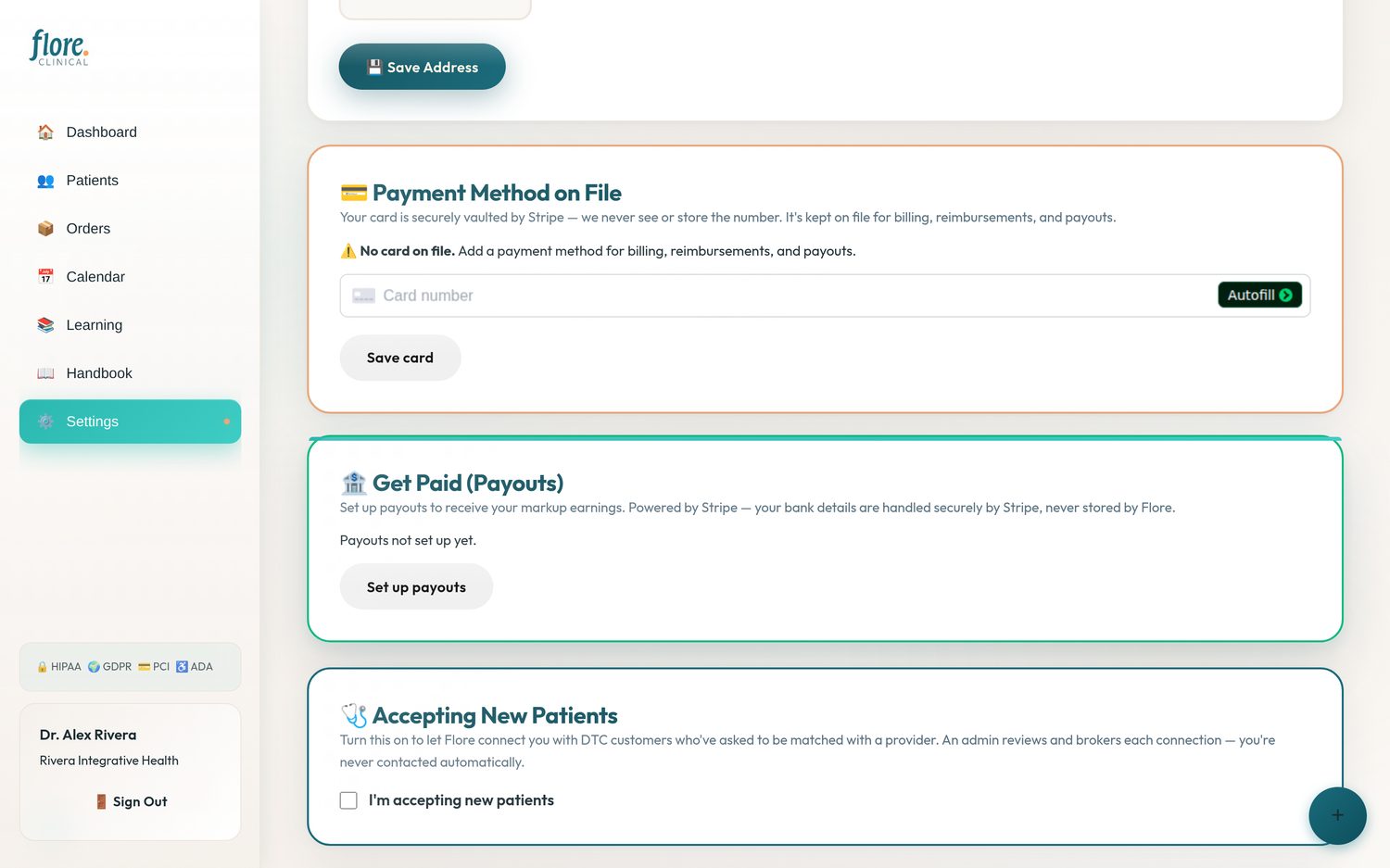
- Payment method on fileA card vaulted by Stripe for billing and reimbursements — the number never touches Flore.
- Get Paid (Payouts)Onboard with Stripe Connect to receive your markup earnings; your bank details are handled by Stripe.
- Accepting new patientsFlip this on to let Flore connect you with customers seeking a provider — an admin brokers each match, so you are never contacted automatically.
Keep your profile current
Settings is where your clinic identity lives — profile, credentials, shipping, security, and pricing.
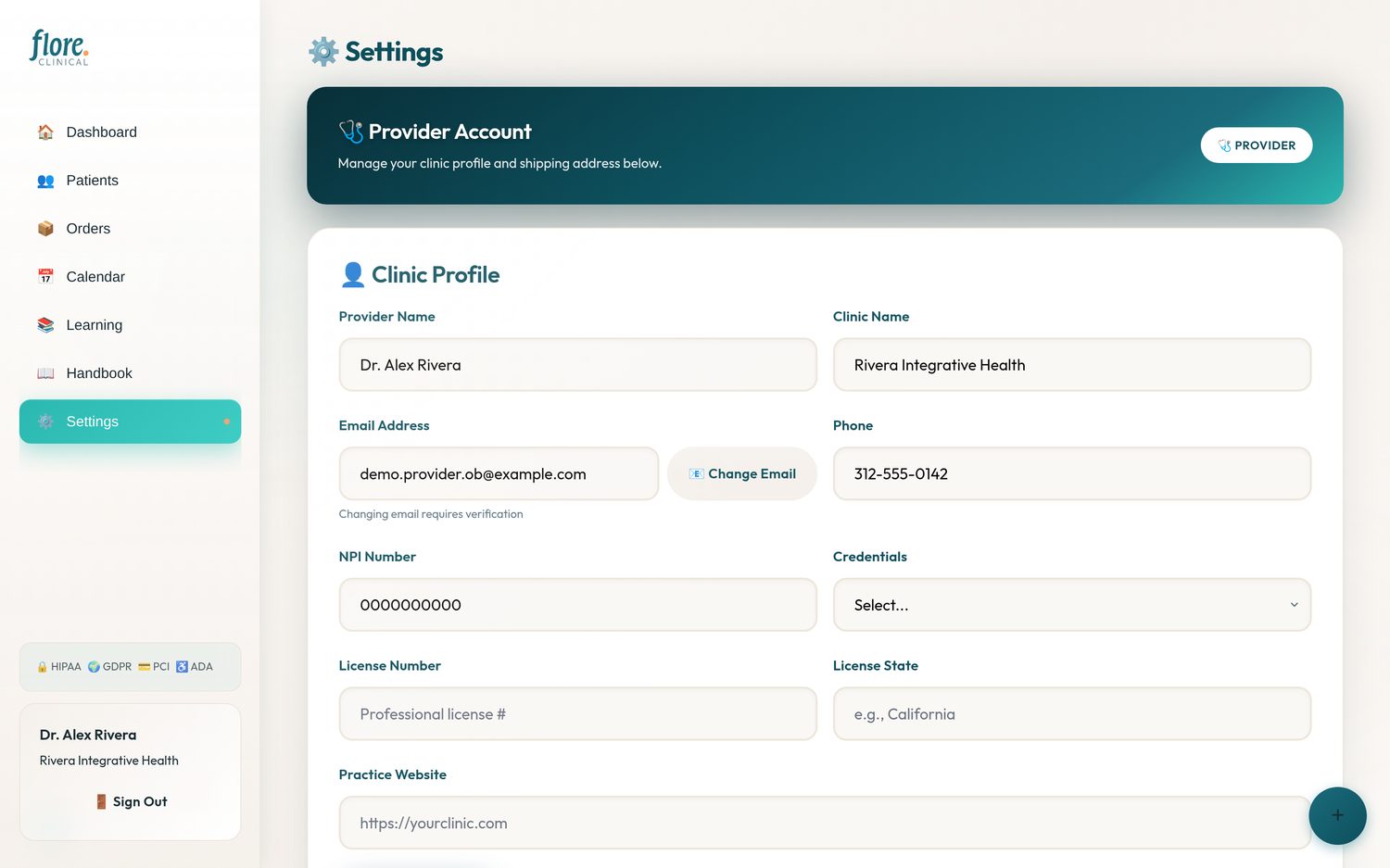
- Clinic profileProvider & clinic name, NPI, credentials, license number & state, and practice website.
- Shipping & securityA clinic ship-to address for “ship to clinic” orders, plus a configurable HIPAA session timeout.
- Change email / passwordBoth are self-service; changing your email requires a quick re-verification.
A note on evidence
Flore Clinical is the analysis-and-formulation platform — it does not diagnose, treat, or cure disease, and nothing in the portal should be read as a promise of a clinical outcome. Stated plainly: there are no published randomized controlled trials of Flore formulations. The autism work is an open-label pilot published in mSystems (2024), not an RCT. Predicted-success indicators in the portal are model outputs to support your judgment, not efficacy claims. Flore Inc. is the successor to Sun Genomics.
You are set — go build.
Questions any step of the way? Our team is one message away, and the Learning Center & Handbook live inside the portal.
Or email support@flore.com